Barcode on glass jar and bottle labels that scan first time
Putting a barcode on glass jar labels or clear bottles: the white patch behind the bars, which way to turn them on a curve, and a scan test before you fill.
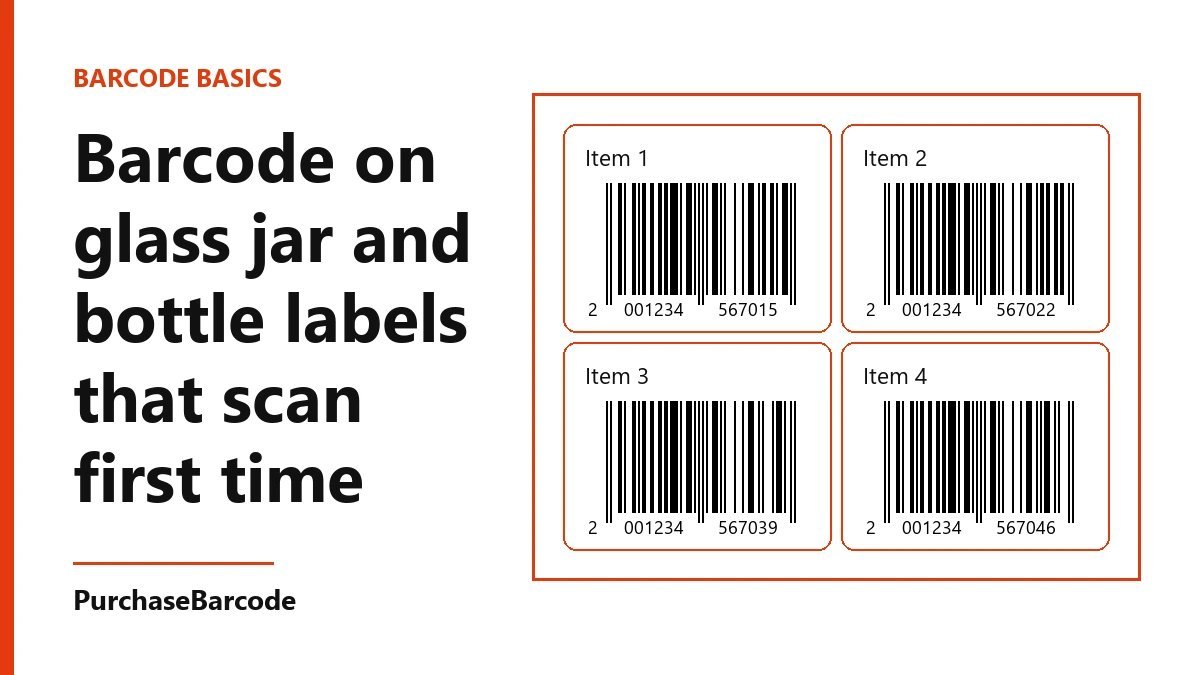
Print the bars in black on a solid white patch, even on a clear label, and turn the code so its bars wrap around the jar if the jar is narrow. Then scan a real, filled jar before you print the whole run.
Why a barcode on glass jar labels fails
Glass is the hardest surface most shop owners will put a barcode on. A barcode on glass jar labels fails for three plain reasons. The scanner sees through the label. The curve bends the bars away from the light. The shine throws the light back.
A till scanner reads the gap between dark bars and light spaces. It needs the spaces to stay light and the bars to stay dark, across the whole width of the code. Glass breaks each of those in its own way. Each one has a fix that costs a few paise per label.
This post walks one jar from a blank label to a scan at the counter. Do the steps in order and you finish with a label file that is ready to print.
Step one: measure the jar
Take one empty jar and a soft tape. Write down three things.
First, the height of the flat side. Measure from where the base starts to curve up to where the shoulder starts to curve in. On most jam and pickle jars this is between 50 mm and 90 mm.
Second, the distance across the jar. As a working rule, a jar 70 mm across or more is a wide jar. Anything narrower is a narrow jar.
Third, where the label sits. Mark it with a pen. Keep the barcode away from the label seam, away from the shoulder and at least 8 mm above the base.
Step two: give the bars a white patch
Clear labels look clean on glass. They are also the most common reason a jar will not scan. With a clear label, the spaces between the bars are whatever sits behind them. Fill the jar with dark jam, pickle or oil and the spaces go dark. The scanner sees one dark block.
The fix is a solid white patch behind the barcode. There are two ways to get it.
The simple way is a white label. Use a white film label for the whole jar, or put a small white sticker just for the barcode beside your clear front label.
The neat way keeps your clear label. Ask the printer for a white underprint, sometimes called a white flood, under the barcode area only. Ask for the white to be opaque, not a light tint. Hold a proof up against a full, dark jar. If you can see the colour of the contents through the white, it is too thin.
Make the patch bigger than the bars. The code needs a clear margin on each side, called the quiet zone. At full size that is about 3.5 mm on the left and 2.5 mm on the right. The white patch should cover the bars, the numbers under them and both margins, with a little to spare.
Step three: keep the bars black
Print the bars in black, or a very dark blue, on the white. Avoid red, orange and light brown bars. Most till scanners read with red light, and to them red bars look the same as white space.
Pick a matte finish over the barcode. A gloss laminate on curved glass throws a bright line of light straight back into the scanner. Matte film or a matte varnish stops that. If the rest of the label has to be glossy, ask the printer to leave the barcode patch matte.
Step four: turn the code for the curve
On a wide jar, print the code the usual way, with the bars standing up and down. The bars run along the straight height of the jar, and the curve only bends the code a little.
On a narrow jar or a slim bottle, turn the code a quarter turn so the bars lie flat, like the rungs of a ladder. Now the long side of the code runs up the flat height of the jar, and each bar wraps a short way round the curve. The scanner reads along the straight line, so the curve stops mattering.
Check the height first. A full-size EAN-13, margins included, is about 37 mm wide and 26 mm tall. Turned on its side, it needs about 40 mm of flat height. If the flat side is shorter, you can shrink the whole code, but keep it at 80 percent of full size or more. Below that, many tills struggle.
Shrink the code evenly. Cutting the bars shorter to make the code fit makes it harder to scan by hand.
Step five: choose a label that stays put
Glass jars go in fridges, sit in steam and get wiped. Paper labels wrinkle and lift at the edge, and a wrinkle across the bars breaks a scan.
Use a film label, such as white BOPP or PE, with a permanent adhesive. If the jar goes in a fridge, ask for an adhesive rated for cold and wet surfaces. Apply labels to clean, dry glass at room temperature. A label put on a cold jar fresh from washing often lifts within a week.
Smooth the label from the centre outward with a soft card. Air bubbles under the barcode act like small lenses and bend the light.
Step six: test with the jar full
This is the step most people skip, and it is the one that catches the problem.
Print five labels on the real stock. Put them on five real jars. Fill the jars with the real product, close them and leave one in the fridge overnight.
Then scan each one. Use a free barcode scanner app on a phone first. Then use a counter scanner, if you have one or a shop nearby lends you a minute at the till. Scan from the front, then at a slight angle, then with the jar cold and wet from the fridge. Each scan should read first time and show the same number that is printed under the bars.
If one fails, find the cause before you change anything. A dark smear through the spaces means the white is too thin. A bright line across the code means the finish is too glossy. A read that works only when you hold the jar just so means the curve is too tight for the way the code is turned.
Transparent bottles
A clear bottle follows the same rules with two changes. Bottles are often narrower than jars, so the turned, ladder-style code is the usual choice. And oil or juice can be lighter or darker from batch to batch, so the white patch matters even more. Test with the darkest batch you sell.
On a square or flat-sided bottle, put the code on a flat face and keep it the usual way up.
What the number does on the jar
The number under the bars is what the till looks up. It lets a shop scan your jar and ring up the right product at the right MRP. It says nothing about what is inside the jar. The label still needs the name, the weight and the other details your shop or store asks for. Our barcode guide covers what a barcode does and does not do.
If you want to know which number suits the shops or stores you supply, tell us where you sell and we will point you to the right pack.
You can order a number for each of your jars from the EAN-13 packs.
These are correctly formed, scannable numbers issued to you alone. A standard retail or POS scanner reads them: it checks the number's structure and its check digit, nothing more. Whether a marketplace or retailer accepts one is that channel's own decision — a small share of platforms and retailers look every number up in the global barcode database and will ask for a registered code instead. Tell us where you plan to sell and we will check it with you before you buy. Which barcode do I need?