Set Up a Product Barcode Spreadsheet: Five Columns and a Date
A product barcode spreadsheet needs five columns and one date. Set it up in twenty minutes and stop putting one number on two products.
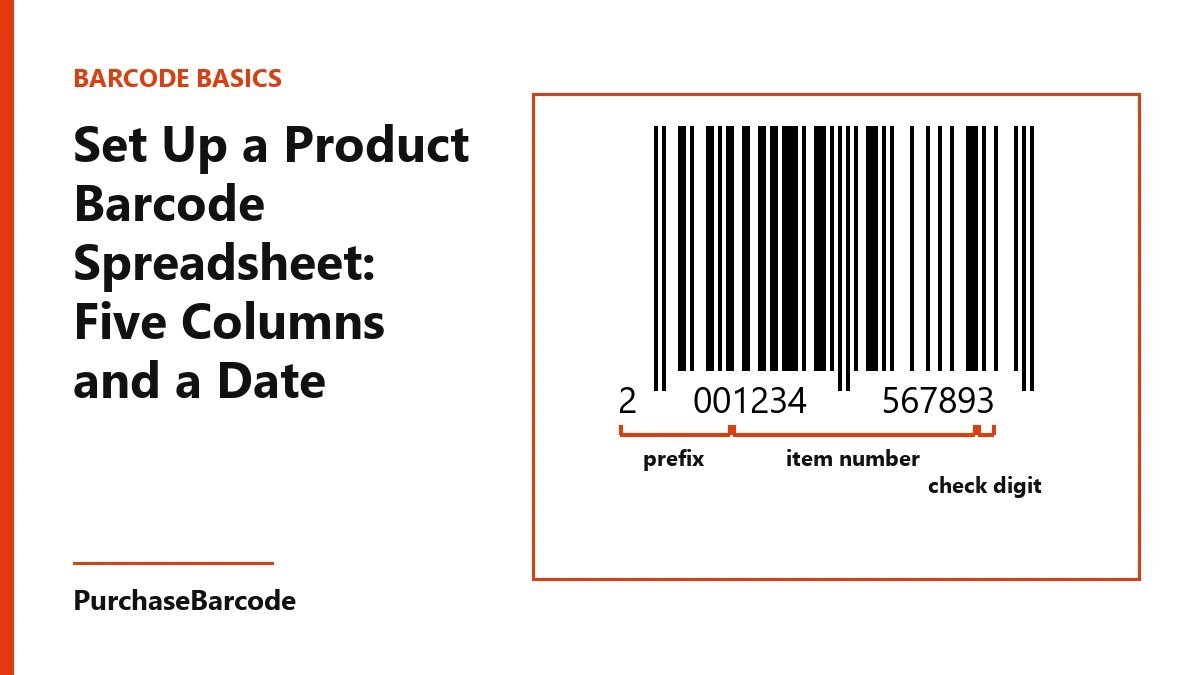
Keep one sheet with five columns (product name, variant, barcode number, pack and MRP) plus the date you gave each number to its product. Set the number column to text and paste numbers from the file you received. Never type them by hand.
Start with one sheet, not a folder
Most small brands keep their barcode numbers in the file that came after the order. Then a second pack arrives. Then a label designer saves a copy on their own laptop. Six months later, nobody knows which number is on which jar.
A product barcode spreadsheet fixes that. You keep one sheet with one row per number, and one person edits it. It takes about twenty minutes to set up. It also prevents the worst label mistake: two products that scan as the same item at the till.
You need five columns and a date. Here is how to build it.
Before you type: set the number column to text
Open a new sheet and name the first tab "Numbers". Select column C. Set its format to plain text before you paste anything into it.
This step matters. A spreadsheet treats a long number as a value to calculate with. It may drop a leading zero, round off the last digits or show the number in scientific form. A barcode number is a label, not a sum. Stored as text, it stays exactly as it was sent to you.
Freeze the top row so the headers stay in view as the list grows.
The five columns
Column A: Product name. Write it the way it appears on the pack, not your nickname for it. "Neem face wash" is better than "FW-old". The person who prints labels next year will be glad of it.
Column B: Variant. Write the size, weight, colour or flavour here. Each variant that a shop sells as a separate item needs its own number, so each one gets its own row. A 100 ml bottle and a 200 ml bottle of the same face wash are two rows.
Column C: Barcode number. Paste it from the file you received. Never type it by hand. One wrong digit and the label scans as nothing, or as somebody else's item.
Column D: Pack. Write single unit, pack of three, or outer carton of 24. A multi-pack sold at the counter as one item scans as one item, so it needs its own number and its own row.
Column E: MRP. Enter the price printed on the pack, in rupees. If a reprint changes the MRP, change it here on the same day.
That is enough for most shops. Don't add fifteen more columns. Each extra column is one more thing someone forgets to fill in.
A worked row
Say you make a mint soap in one size. Row two reads: Mint soap in column A, 100 g in column B, the number pasted from your file in column C, single bar in column D, ₹120 in column E.
Now you add a gift box of three bars. That is row three: Mint soap, 100 g, pack of three, a fresh number in column C, and ₹340 in column E. You have two rows and two numbers, and the till never mixes them up.
The date column nobody keeps
Add column F and call it "Date assigned". Write down the day you gave this number to this product.
Hardly anyone keeps this column. Yet it is the one you will need most, for this reason.
A number that has been printed and sold stays in use. Stock sits in a shop for months, and a customer may bring a pack back a year later. The shop's till keeps the product name it learned the first time that number was scanned. Say you retire a product and give its number to a new one. The till may then ring up the new item under the old name and price.
The date shows you when each number went out into the world. You can see at a glance which numbers have been on shelves, and you leave those alone. Give each new product a fresh number from your unused rows.
Some owners add a second date, "Date first printed", for the day the first labels came off the printer. That helps if you print in-house and want to match a batch to a design. One date is the minimum.
Keep the unused numbers in the sheet too
When your pack arrives, paste every number into column C at once, even the ones you have no product for yet. Leave columns A, B, D, E and F blank on those rows.
Now the sheet shows how many numbers you have left. When you launch a product, take the first empty row and fill it in. Write today's date in column F. You won't have to dig through old email for the original file.
To see what you launched and when, sort the sheet by column F. To count the numbers still free, filter column A for blanks.
Print and test from the sheet
Most label software can read a spreadsheet. Point it at your file. Map column C to the barcode field, columns A and B to the product text, and column E to the MRP line. Print from the sheet, not from a number someone copied into a chat.
Before you print a full roll, print one label. Scan it with a handheld scanner or a scanning app on a phone. The digits it reads should match column C on that row. If they match, print the batch. If they don't, fix the sheet first and print again.
A shop or online store will ask for more than the number when you list a product. The product page rules list the images, title and weight a listing needs. Keep those details in a second tab of the same file, one row per product, so everything lives in one place.
Who edits, and how often
Pick one person to own the sheet. Everyone else gets view access. If two people edit the same row on the same afternoon, one number can end up on two products.
Once a month, save a dated copy of the file somewhere else. It takes one minute.
If you are not sure which number type a shop or online store wants, tell us where you sell and we will point you to the right pack.
When the sheet needs more numbers, the EAN-13 packs page lists every pack size with its price and what arrives.
These are correctly formed, scannable numbers issued to you alone. A standard retail or POS scanner reads them: it checks the number's structure and its check digit, nothing more. Whether a marketplace or retailer accepts one is that channel's own decision — a small share of platforms and retailers look every number up in the global barcode database and will ask for a registered code instead. Tell us where you plan to sell and we will check it with you before you buy. Which barcode do I need?